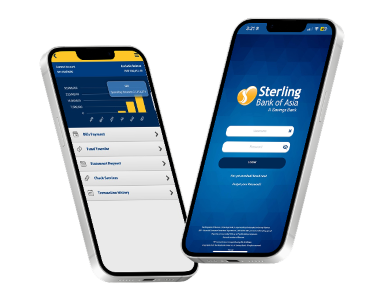

Sterling Bank mobile banking
sterling bank mobile banking
Mobile Banking

Enjoy the convenience of banking on any mobile device of your choice. Our seamless and secure mobile banking technology allows you to manage your funds while you're on the go.

To know more, click here for the FAQs.

sterling bank mobile banking
How to download and log in via the Sterling Bank Online Mobile App
  1. Download and install the Sterling Bank Online App via Google Play or App Store
  2. Open the app
  3. Log in with your username and password, then click “LOGIN”

Reminder: You have to enroll your account in Sterling Bank Online – Personal before you can access your account via the mobile app.

sterling bank mobile banking
With Sterling Bank Online Mobile App you can do the following:

Account/Card Monitoring

  • Monitoring your account and/or card balance/s
  • View transaction history in the last six (6) months

Fund Transfers and Bills Payment

  • Transfer funds to any Sterling Bank of Asia checking or savings accounts or ShopNPay prepaid/debit cards
  • Transfer funds to other local banks via InstaPay and PESONet
  • Transfer funds to merchants or sellers via QR Person-to-Merchant
    (QR P2M)
  • Pay billers via InstaPay QR Person-to-Biller (QR P2B)
  • Pay bills anytime, anywhere
  • Pay your active and enrolled loan account

Check Services

  • Reorder Checkbook
  • Request for Manager’s Check
  • Inquire about the status of your deposited and issued check/s
  • Issue a stop payment order to your issued check/s

Other Services

  • Apply for an Auto Loan, Personal Loan, and/or Home Loan
  • Schedule bills payment and/or fund transfer transactions
  • Find and locate any Sterling Bank of Asia branch