Image
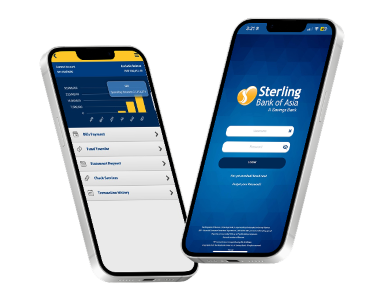




Seamlessly stream your financial system’s output to your account.
The Optima - Financial System allows for effortless bank account reconciliation and monitoring. Moreover, as a stand-alone and web-based solution, the system can be integrated with the Optima - Payroll System to facilitate quicker connections among users in different locations. This platform allows you to create financial statements such as balance sheets, income statements, financial ratios, and cash flow statements. It also makes it easy to reconcile transactions with your account.
Designed with your business in mind, the Optima - Financial System is capable of the following:

Assign or limit a user’s access to certain features in the system for added security.

View, print and export in MS Excel all activity logs for timely internal audits.

The system reduce the manhours needed to create a payroll since it doesn’t require raw data.

Improve your supply chain by using the inventory limit prompt which warns when your supplies have reached a critical level.

Benefit from detailed and consolidated sales, purchases, receivables, payables and inventory reports. Receive auto-prompts of accounts payables and receivables due dates.

Customize your forms according to your own company’s needs.
Operating System: Windows 10/11, Windows Server® 2012, Windows Server® 2012 R2, Windows Server® 2016, Windows Server® 2019
Linux: Ubuntu Server 16.04 LST, Ubuntu Server 18.04 LST, Ubuntu Server 20.04 LST
Processor: Intel® Core™ i3 Processor (3M Cache, 3.40 Ghz) or Higher ISERIES Processor (or any equivalent in other brand)
RAM requirements based on the number of workstations: 1-10 workstations: 8GB, 11-15 workstations: 16GB, 16-20 workstations: 32GB
Minimum Screen Resolution: 1024x768 screen resolution
Disk Space: At least 120GB of disk space (for SQL Server and database allotment only)
Network Card: 100 Mbps network card and 100 Mbps switch or router
Operating System (English Editions Only): Windows 10 or 11 only
Processor: Intel® Core™ i3 Processor (3M Cache, 3.40 Ghz) or Higher ISERIES Processor (or any equivalent in other brand)
RAM: Total of 8GB of RAM or higher
Minimum Screen Resolution: 1024x768 screen resolution
Disk Space: At least 20GB of disk space (for program allotment only)


With Sterling Bank Online, you can address your banking needs with ease, anytime, anywhere.
Manage your funds, pay bills and more through seamless and secure online banking right at your fingertips.




Avoid clicking links from emails and text messages.
Never share your username, password and OTP.
Always verify by contacting the bank's customer service helplines.


 Online Banking